save time, ensure compliance, and eliminate spreadsheets

#1 Asset Management Software for Government Property
Welcome to eQuip, your complete solution for tracking, maintaining, and reporting government-furnished property (GFP). Our cloud-based software streamlines your asset management tasks and provides complete visibility into your organization’s GFP.
If your organization is struggling to manage assets with spreadsheets, or experiencing information gaps from an ERP, book a demo today. Our team will show you how eQuip can help maintain compliance and improve your asset management processes. Join the growing list of satisfied customers who trust eQuip for their asset management needs.
Configurable
Make the changes you need without support tickets and change orders. Administrative tools to customize reporting (data fields, forms and workflows).
- Customizable asset fields
- Customizable user roles
- Standard and custom searches
Extendable
eQuip integrates with our customer’s third-party systems and ERPs, including direct integration with Deltek Costpoint, ServiceNow, and Oracle’s PeopleSoft.
- Extensive experience with in-house system integration
- API and SOC file integrations
- All other 3rd party systems with flat-file based integration
Efficient
Save hours on DFAR/FAR compliance and contract management with automated property auditing and DD1149 form completion.
- GFP Module Reporting
- Complete and submit DD1149s in as little as 2 minutes
- Plant clearance log handling
Tailor-Made for Government Property Management
eQuip Asset Management software is purpose-built for the needs of federal defense contractors. The system enables government property managers to command the entire asset lifecycle of government furnished and contractor acquired property. This critical functionality pairs with tools to improve everyday operations. Built-in reporting provides logistics and business intelligence. Unlike EAMs or ERPS, eQuip tailors to organizations with complex tracking and compliance needs.
eQuip Software for Maintenance Management

Modern maintenance management systems like eQuip increase efficiency and reduce costs. Take the stress out of equipment maintenance and give your team the control to achieve success with eQuip.
- Create time and meter-based planned maintenance templates
- Construct job plans and automatically generate work orders when planned maintenance is due
- Assign planned maintenance schedules to assets in bulk
- Configurable Service Request forms
- Generate ad-hoc work orders and control permission settings
- Process work orders and document job-related activity for each completed work order
- Configurable dashboard notifications, email alerts, and reports ensure your team is on top of the tasks ahead of them.
- Maintenance reporting brings actionable business intelligence to Finance and Operations (integrates with all major ERPs)
Prepare for a PMSA, Pass DCMA Audits and Avoid Corrective Action Requests (CARs)

- Achieve and sustain full Audit Readiness (as required by the DoD)
- Auto-generate and store government forms including DD1149 and DD250
- Automatically maintain a history of all transactions including custody transfers, inventories, disposals, and more
- Track equipment, parts, and maintenance and calibration data
- FAR 52.245-1 (Government Property), DFARS 252.211-7003 (Item Identification and Valuation), and DFARS 252.211-7007 (Reporting of Government Furnished Property) compliant
- Automate PIEE, WAWF, IUID Registry and PCARSS reporting
Tracking Location & Chain of Custody

Understanding who has an asset and where it’s located is an ongoing challenge for government property managers. Too many continue to rely on manual systems and cumbersome, error-prone spreadsheets. eQuip is a better, efficient, and (most of all) compliant alternative to tracking property location and chain of custody.
- eQuip mobile app creates real-time updates to asset records across mobile, tablet, desktop and hand-held scanners
- Perform faster, more accurate inventory audits from any mobile device
- Provides a centralized, secure repository for all asset management data
- Maintain transparency and accountability with integrated e-signatures
- Configurable to enforce the asset management policy and procedures of your organization
Lifecycle Asset Management

Lifecycle asset management is the process of managing the lifecycle of an asset “from cradle to grave.” Lifecycle management is often performed in order to optimize asset usage. By monitoring assets for the entirety of ownership, one can identify inefficient processes in each stage of the lifecycle.
- Track equipment from any device, anywhere with our cloud-based system
- Mobile app to scan and track your equipment on the move
- Eliminate spreadsheets - use eQuip to locate specific pieces of equipment and their owners
- Easily generate and pull equipment tracking reports as you need them
- Customize your system to meet your unique equipment tracking needs
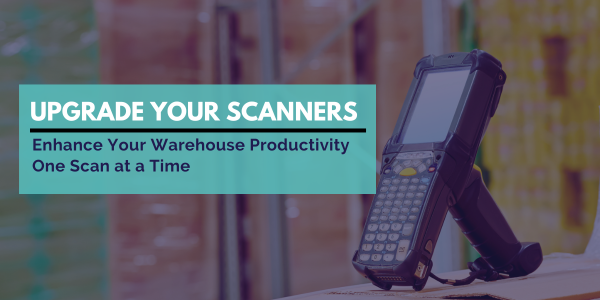
- Lose the bulky scanners with our mobile app's built-in mobile barcode scanner
RFID Asset & Inventory Management

As a complete government property management system, eQuip is a secure, cloud-based asset tracking that integrates RFID technology. Our solution includes built-in middleware to connect with fixed or mobile RFID readers.
- Eliminate costly and error prone user-initiated line-of-sight inventories
- Automate asset location updates and save time in locating assets
- Streamline data collection with Android or Apple mobile applications
- Scan and go: simply scan near the asset to pick up the RFID signal from the asset tag.
- Real-time location updates: active RFID tags constantly transmit their location into eQuip for ease of auditing and reporting
- Simplify procurement of hardware and RFID tags: your eQuip account team can take care of purchasing and shipping RFID readers, RFID tags or barcode readers from our trusted partners
Why Our Clients Choose Us:

It was an impossible task to try to track it.
Ultra 3 PI struggled with tracking government property across three locations, off-site locations, and among sub-contractors. Watch the video to see how eQuip helps manage their property and maintain compliance.
trusted By the World's Top Manufacturers and Defense Contractors



Who Uses eQuip?
FAR 52.245-1 (Government Property) Compliance
eQuip was to developed to achieve and maintain FAR 52.245-1 (Government Property) compliance. Government contractors manage Government Property (GFP and CAP) with eQuip so they can meet the FAR/DFARS requirements of their Government Property Management business system.
Emergency Management
Emergency Management agencies and Quartermasters use eQuip for managing emergency equipment so they can keep track of grant-funded equipment in a cost-efficient way. Our asset management software also helps them more easily meet government requirements on reporting and inventory audits.
Law Enforcement
Emergency Management agencies and Quartermasters use eQuip for managing emergency equipment so they can keep track of grant-funded equipment in a cost-efficient way. Our asset management software also helps them more easily meet government requirements on reporting and inventory audits.
Enterprise Asset Management
Businesses managing physical assets, including IT assets, furniture, capitalized equipment, and consumables use eQuip for asset management. These businesses use our asset management software to track maintenance schedules and task orders on capitalized equipment, as well as to track owned assets and leased assets.
State & Local Government Agencies
Many state and local government agencies use eQuip to track federal grants. They use it to better follow equipment management guidelines in CFR, and Uniform Guidance, including tracking asset condition, usage, and disposal.
Your Partners in Compliance
Thank you for considering eQuip as your asset management solution. eQuip is more than just a software tool. Our decades of expertise ensure that you will have a comprehensive solution that meets your organization’s requirements.
Collaborative start-to-finish
We pride ourselves on our collaborative approach, from discovery to implementation and maintenance. Our team takes the time to understand your business needs and goals.
Fast, efficient support
Our U.S.-based team members typically respond to support tickets within an hour during business hours. You will also have access to our knowledge base and a support ticket status tool.
Agile and adaptable
Please let us know if you have any further questions or if you would like to learn more about eQuip.
If you already use eQuip: awsupport@assetworks.com or 866-845-2416 ext.1
New to eQuip? Send us an email
Struggling to track assets with spreadsheets or frustrated with your ERP? Book a demo today.
We’ll show you how we help maintain compliance and improve your asset management processes.